// Contents
PropBuilds earns a commission if you buy through links on this page, at no extra cost to you.
To dry filament, heat it at a low, steady temperature for several hours: roughly 50 °C for PLA, 60 to 65 °C for PETG, 70 °C for TPU and 75 to 85 °C for ABS and ASA, for about 8 hours in a forced-air oven or filament dryer, going by Bambu Lab's own chart below. Then store it sealed with desiccant. Wet filament strings, pops and prints weak, rough layers, so drying fixes more print problems than most setting changes.
Can a 70 °C dryer do it? The SUNLU S2's listing gives 70 °C as its maximum. Against Bambu Lab's oven temperatures, a 70 °C dryer covers 6 of the 10 materials in the chart, all the PLAs, PETG and TPU, but not ABS, ASA, PC, fiber-filled nylon or PVA, which want 75 to 85 °C. Bambu Lab says the same of its own AMS 2 Pro: it suits filaments that need no more than 65 °C.
Filament drying chart
Bambu Lab's recommended drying settings for its filaments, as published on its wiki, with our last column added. Other brands' figures differ a little; the label on your spool wins.
| Material | Dry before use? | Forced-air oven | Enclosed printer bed | Bambu AMS HT | In a 70 °C dryer? |
|---|---|---|---|---|---|
| PLA Basic / PLA Matte | Recommended | 50 °C, 8 h | 60-70 °C, 12 h | 45 °C, 12 h | Yes |
| PLA Silk | Recommended | 55 °C, 8 h | 65-75 °C, 12 h | 45 °C, 12 h | Yes |
| PLA Wood | Required | 55-65 °C, 8 h | 70-75 °C, 12 h | 45 °C, 12 h | Yes |
| PETG, PETG-CF | Recommended | 60-65 °C, 8 h | 75-85 °C, 12 h | 65 °C, 12 h | Yes |
| ABS, ASA | Recommended | 75-85 °C, 8 h | 90-100 °C, 12 h | 80 °C, 8 h | No, needs more heat |
| TPU 85A, TPU 90A | Required | 70 °C, 8 h | 90 °C, 16 h | 75 °C, 18 h | Yes |
| TPU 95A HF | Required | 70 °C, 8 h | 80-90 °C, 12 h | 75 °C, 18 h | Yes |
| PC | Required | 75-85 °C, 8 h | 90-100 °C, 12 h | 80 °C, 8 h | No, needs more heat |
| Nylon CF/GF (PA6, PAHT) | Required | 75-85 °C, 8-12 h | 90-100 °C, 12 h | 85 °C, 12 h | No, needs more heat |
| PVA | Required | 75-85 °C, 8-12 h | 90-100 °C, 12 h | 85 °C, 18 h | No, needs more heat |
Four ways to dry it
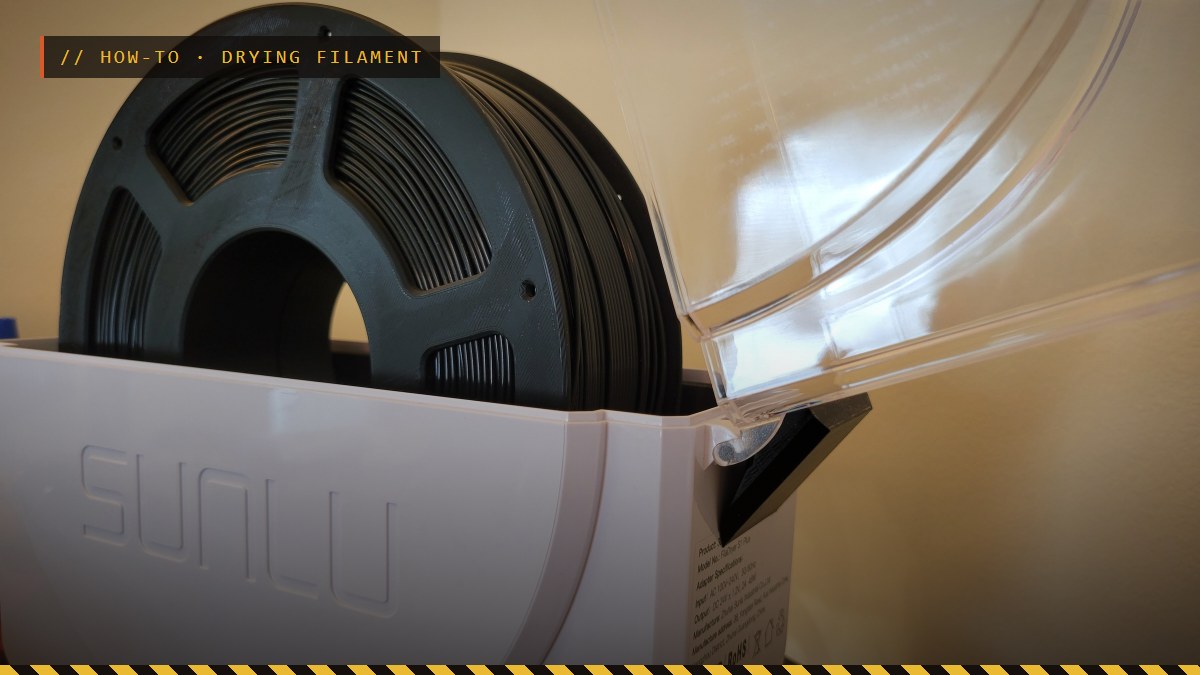
- A filament dryer. The simplest: set the temperature and time and walk away. The SUNLU Filament Dryer S2 shows temperature, time and humidity on its screen, takes spools up to 210 mm across and 85 mm wide, and reaches 70 °C, enough for PLA, PETG and TPU.
- A forced-air oven. Use Bambu Lab's oven column, and check the real temperature with an oven thermometer: home ovens often don't hold low temperatures exactly, and an overshoot softens PLA and warps spools.
- An enclosed printer's heated bed. Bambu Lab's guide: lower the bed, set the spool on it under a cover, set the bed temperature, and flip the spool halfway through. It says its open-frame printers (A1, A1 mini, P1P) can't be used this way. Unload the filament first, and wear gloves to flip a hot spool.
- An AMS 2 Pro or AMS HT. Bambu Lab's drying AMS units dry in place; the AMS 2 Pro suits filaments that need up to 65 °C, and the AMS HT handles hotter ones.
Watch the spool. Bambu Lab warns that some third-party spools aren't heat-resistant enough and can deform while drying, and that PLA, TPU and similar low-temperature filaments can stick together if they're dried without turning. Stay at or below the recommended temperature, and flip or turn the spool.
When to dry
If a spool strings, pops or crackles as it prints, or leaves rough, bubbly layers, dry it. PETG and TPU pick up moisture fastest; ELEGOO even prints it on its PETG listing: dry it completely before using it again once the bag is open. Many spools arrive vacuum sealed with a desiccant pack, like this eSUN PLA+, so a freshly opened PLA spool is usually dry enough to start with, though Bambu Lab still recommends drying PLA for the best results.
Keep it dry afterwards
Bambu Lab's advice after drying is to put moisture-sensitive filament straight into a sealed container with effective desiccant and use it soon. The resealable bag a spool came in, with its desiccant pack, is a fine start; an airtight box with a few desiccant packs holds several spools. Keep spools out of damp garages and basements.
A dry box made for filament adds a way to check. The SUNLU 3 kg dry box holds two 1 kg spools with desiccant and a hygrometer that shows the humidity inside, and its PTFE tubes let you print straight from it, so the spool never has to leave the box.
Before a long print, check you have enough on the spool with the filament calculator, and see the filament guide for which material suits which prop. A dryer also makes the list in the tools guide.
FAQ
What temperature do you dry PLA at?
Bambu Lab's chart gives 50 °C for 8 hours in a forced-air oven for its PLA Basic and Matte, or 60-70 °C for 12 hours on the heated bed of an enclosed printer, under a cover. Check your filament's label too: brands, and even a brand's own pages, don't always agree.
What temperature do you dry PETG at?
60-65 °C for 8 hours in a forced-air oven, by Bambu Lab's chart, or 75-85 °C for 12 hours on an enclosed printer's heated bed. PETG picks up moisture faster than PLA, so dry it whenever it starts to string.
What temperature do you dry TPU at?
Bambu Lab lists 70 °C for 8 hours in a forced-air oven for its TPU 85A and 90A, and 75 °C for 18 hours in its AMS HT. TPU is marked as needing drying before use and a desiccant while printing.
How do you dry filament without a dryer?
In a forced-air oven with an oven thermometer to check the real temperature, or, on an enclosed printer, on the heated bed with the spool under a cover. Bambu Lab says its open-frame printers (A1, A1 mini, P1P) can't be used for bed drying. Check the spool can take the heat: some third-party spools deform.
How do you store filament to keep it dry?
In a sealed box or bag with desiccant, straight after drying or opening. Keep spools you're not using sealed, and dry the moisture-sensitive ones, like PETG and TPU, before long prints.
Drying figures: Bambu Lab wiki, "Filament Drying Recommendations", Appendix I (read September 2026). Check the current page and your filament's own label before drying.
As an Amazon Associate I earn from qualifying purchases. The Amazon links on this page are affiliate links: check the current price and details on Amazon before you buy.
PropBuilds is a fan-run site, not affiliated with or endorsed by the studios or rights holders of the games mentioned.
Header photo: Sunlu S1 Filament Dryer Lid Support by Eric T on Printables, licensed CC-BY-SA; cropped, with an overlay added. The edited header is shared under the same licence.